

After you sign in
- Check which organization and brand are active. If you were invited to a team, confirm you are in the intended organization before editing anything.
- Set up or select the brand you are authorized to use. Confirm its website and matching terms under Settings → Brand. Available actions depend on your role and plan.
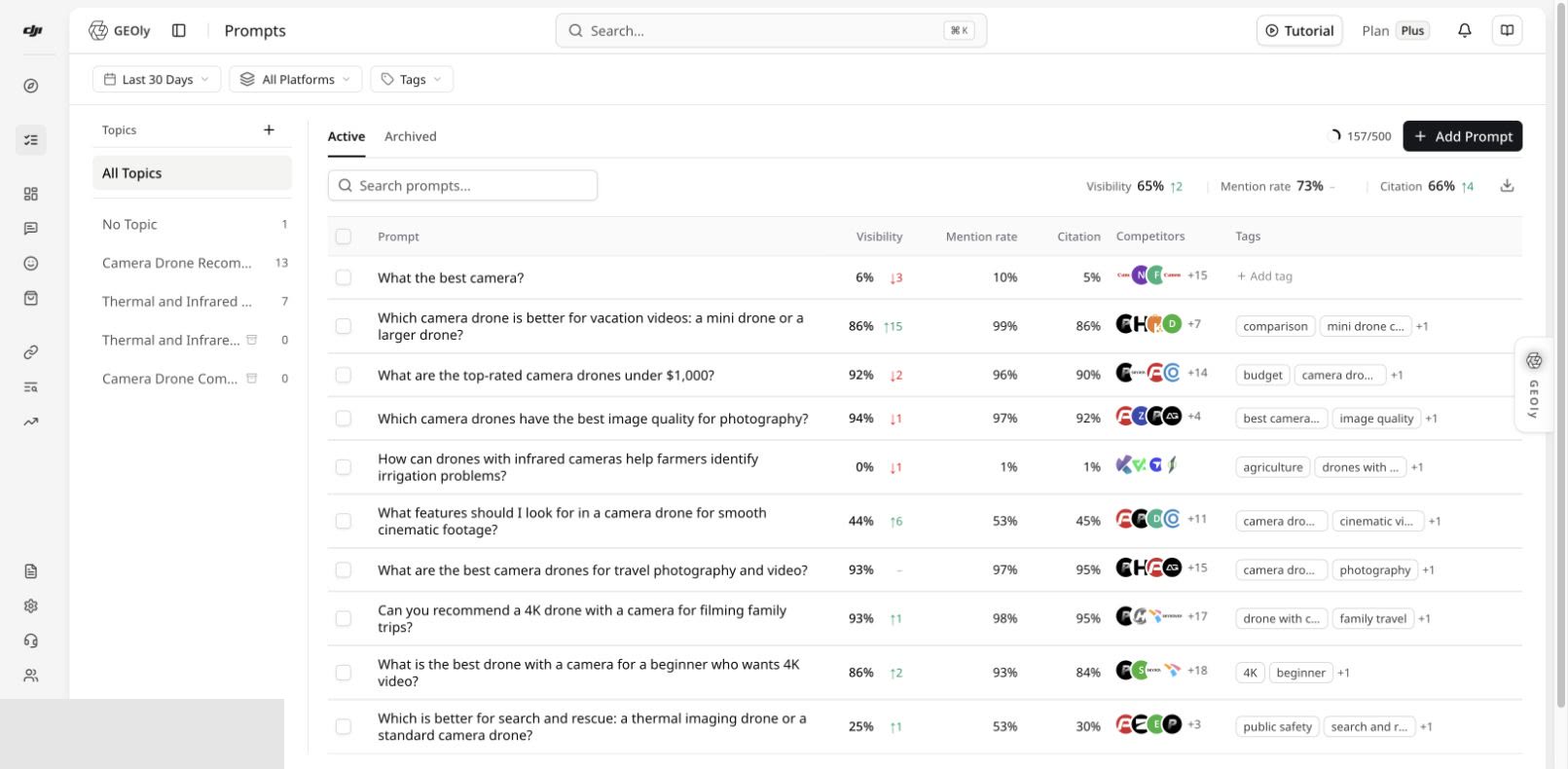
- Go to Monitoring → Prompts to add questions your customers might ask AI systems. Organize them by topic, then review records after collection completes. A newly added prompt is not itself a completed AI answer.
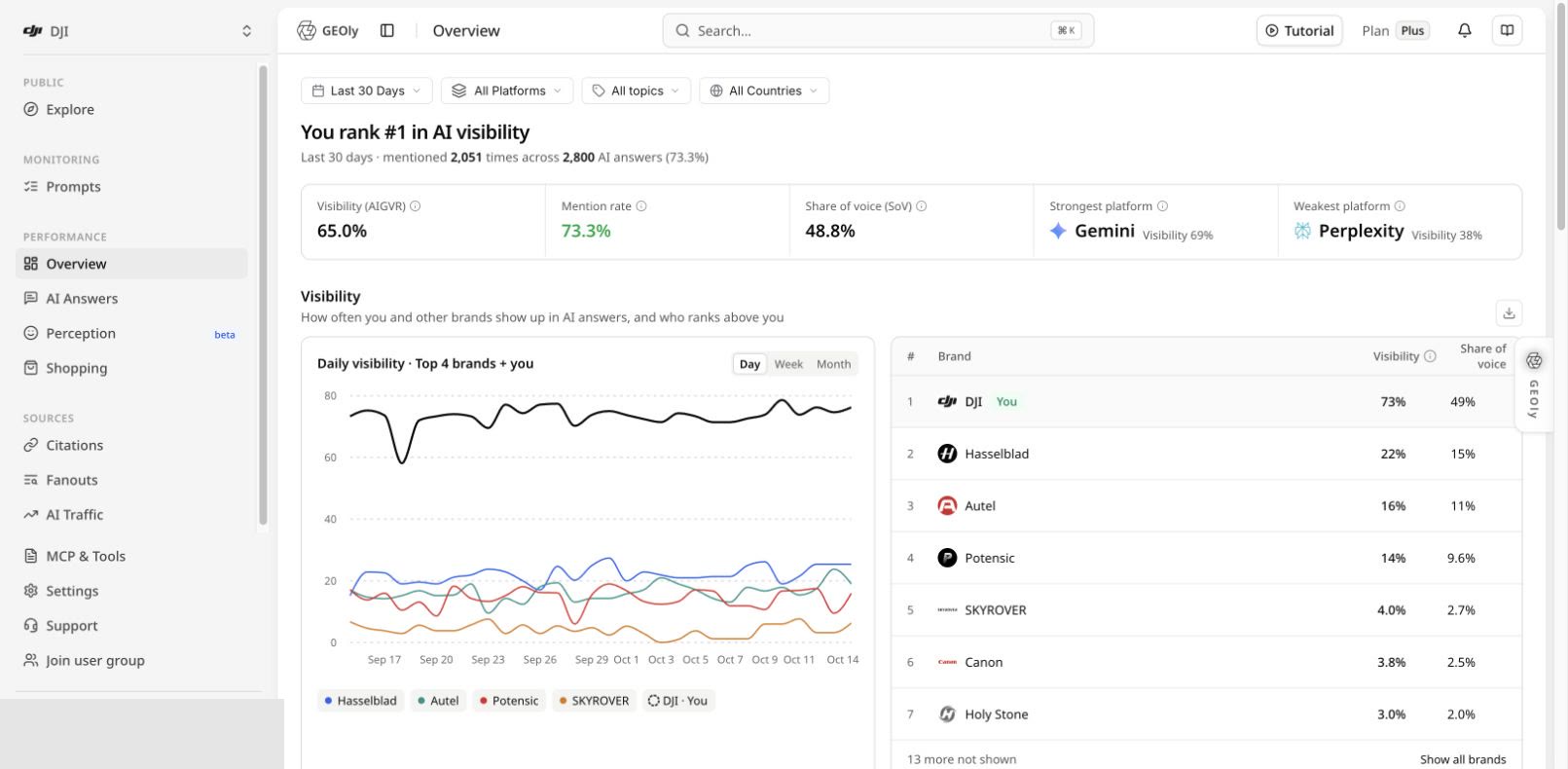
- Open Performance → Overview to review the selected brand, date range, platform and topic. Use the prompt records and original answers to inspect the evidence behind an overview metric.
If something looks wrong
- If your invitation does not lead to the intended organization, use the original invitation link or ask its sender to check it. Do not use a referral code as a substitute for organization access.
- If no brand or prompt records appear, check the active organization and brand, your role, and whether monitoring has finished collecting data.
- If the registration form or verification step differs from the images in an older guide, follow the current form.