

Neither surface measures orders, inventory, revenue, or complete ecommerce market share.
Public → Explore → Shopping
The Public Shopping page is labeled Shopping. Select the country/language and platform before reading the board.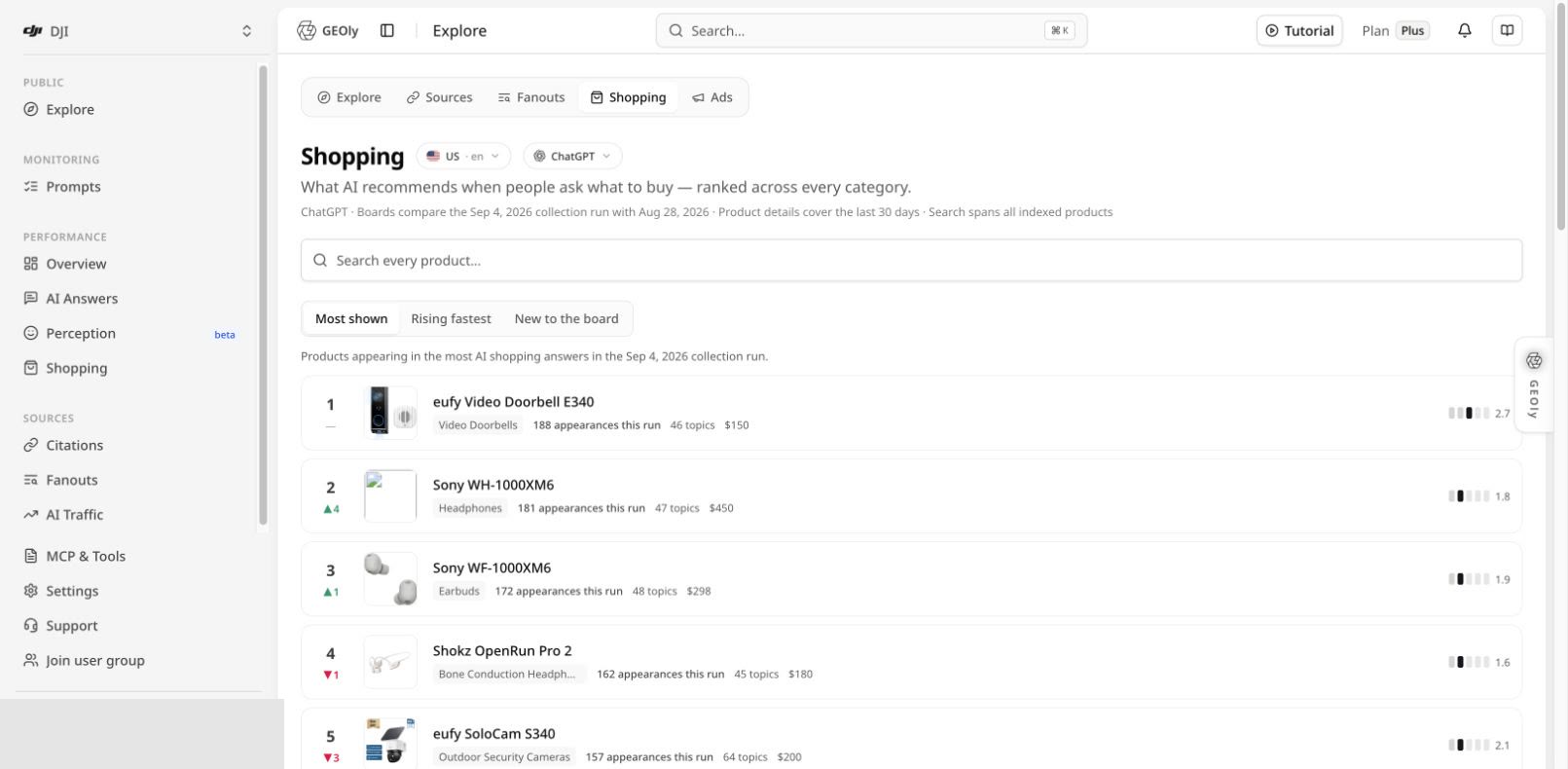
- Most shown: products appearing in the most AI shopping answers in the current collection run.
- Rising fastest: products with the strongest board movement versus the comparison run.
- New to the board: products that newly entered the board.
Search and compare products
Use Search every product to find a product across the indexed public Shopping dataset. Keep the locale and platform fixed when comparing products. Use the board to form research questions such as:- Which products repeatedly appear for many Topics?
- Which products are entering or leaving the public AI shelf?
- Which categories produce consistent shopping-card activity?
- Which observed prices and positions should be checked in the underlying evidence?
Product detail
Open a product row to review its detailed Shopping evidence. Choose a time window, data snapshot, and platform that contain observations.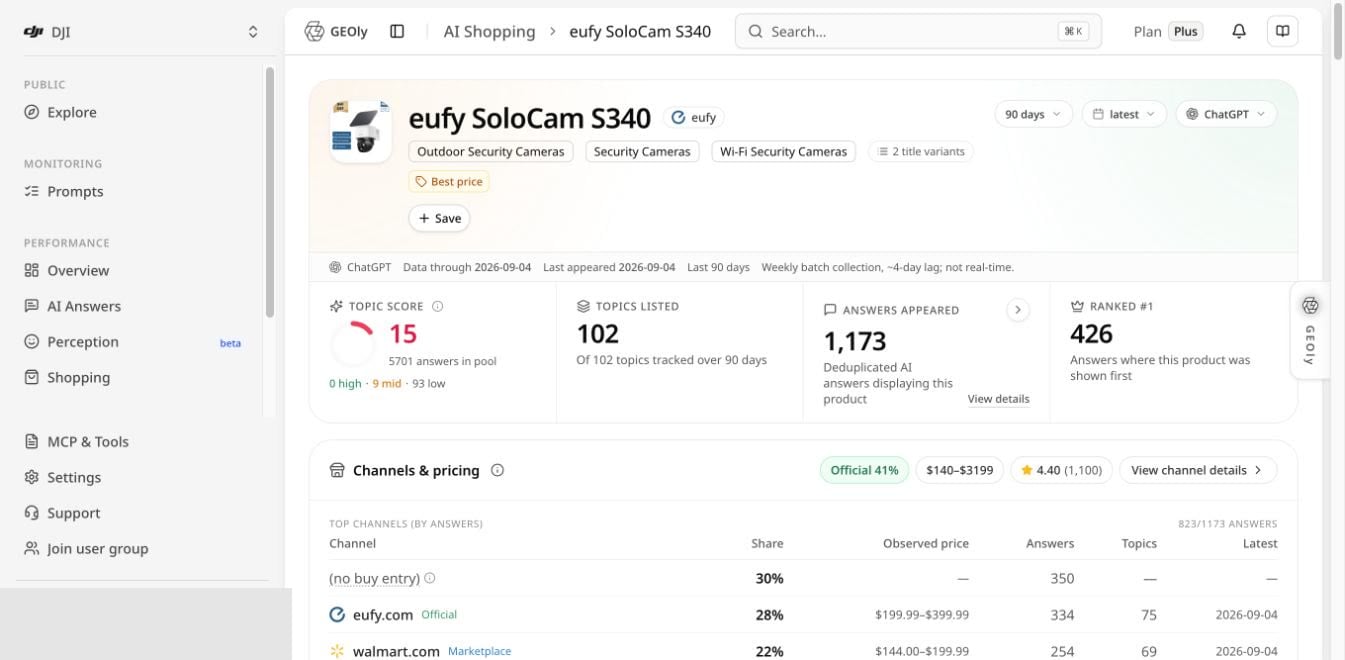
- Topic Score: a position-weighted score across the anchored answer pool; absence contributes zero, so a product cannot improve simply by disappearing.
- Topics listed: how many tracked Topics include the product.
- Answers appeared: deduplicated AI answers displaying the product.
- Ranked #1: answers where the product appeared first among shopping cards.
- Channels & pricing: observed merchant domains, answer share, price ranges, Topic counts, and latest observation.
- Weekly position heatmap: answer counts by position band and absence for each collection week.
- Product Topic performance: listing rate and median position inside each Topic.
- Competition and retrieval evidence: products shown together, supporting queries, and source evidence where available.
Price and rating boundary
The page explicitly treats price, rating, review count, seller, and channel data as AI-card observations. They can vary by market, date, retailer, bundle, and data availability. Verify commercial decisions against the retailer or brand’s first-party systems.Recommended Public Shopping workflow
- Set country/language and platform.
- Note the current and comparison collection runs.
- Review Most shown, Rising fastest, and New to the board.
- Open a relevant product and choose a window with data.
- Read Topic Score together with the answer-pool denominator.
- Review first-position counts, the weekly heatmap, and Topic performance.
- Check channels, observed prices, competitors, and source evidence.
- Turn the result into a research or content hypothesis.
- Validate the hypothesis with first-party product, traffic, and sales data.
Performance → Shopping: AI Shelf
Open Performance → Shopping. The page title is AI Shelf.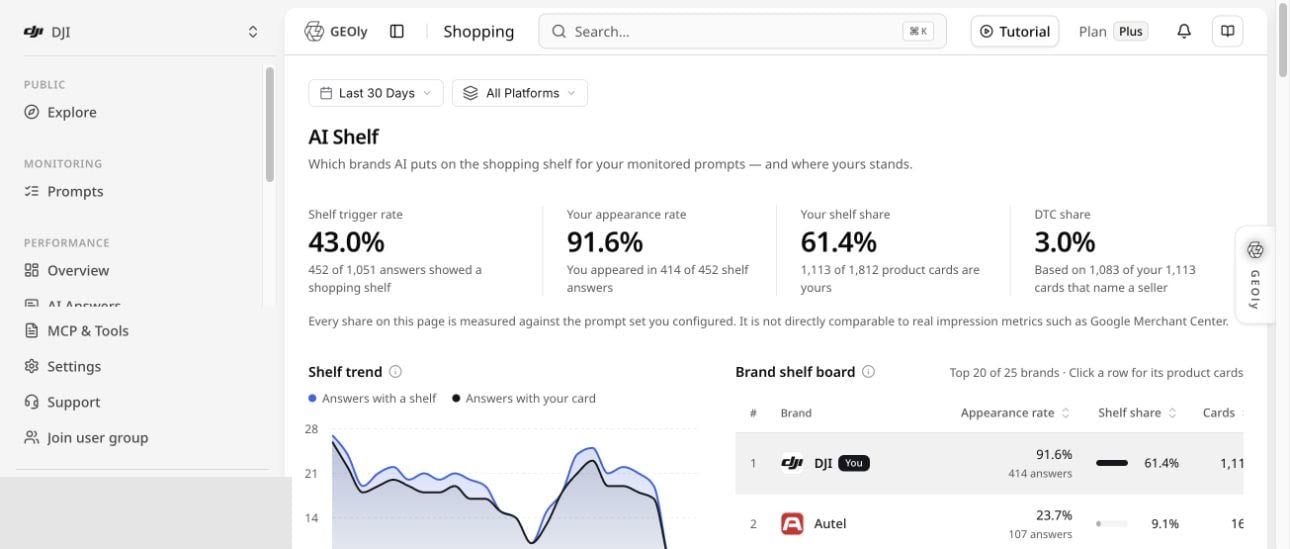
Read the counts displayed below each percentage. These figures are not directly comparable to ad impressions, Google Merchant Center metrics, or the public Shopping board.
Below the headline metrics, use the shelf trend and brand shelf board to inspect which brands and product cards appear in the monitored Prompt set. Open the underlying answers before turning a shelf pattern into a claim.
Data boundaries and common mistakes
- Public Shopping and AI Shelf use different datasets and denominators.
- An appearance is not a sale, click, conversion, impression, or endorsement.
- Rank movement compares the collection runs shown on the page, not the whole market.
- An observed price is not a guaranteed current retail price.
- A missing product can reflect the selected window, platform, locale, or collection coverage.
- Topic Score must be read with its answer pool and anchored Topic set.
- DTC share depends on observed seller naming and classification; it is not total direct sales share.